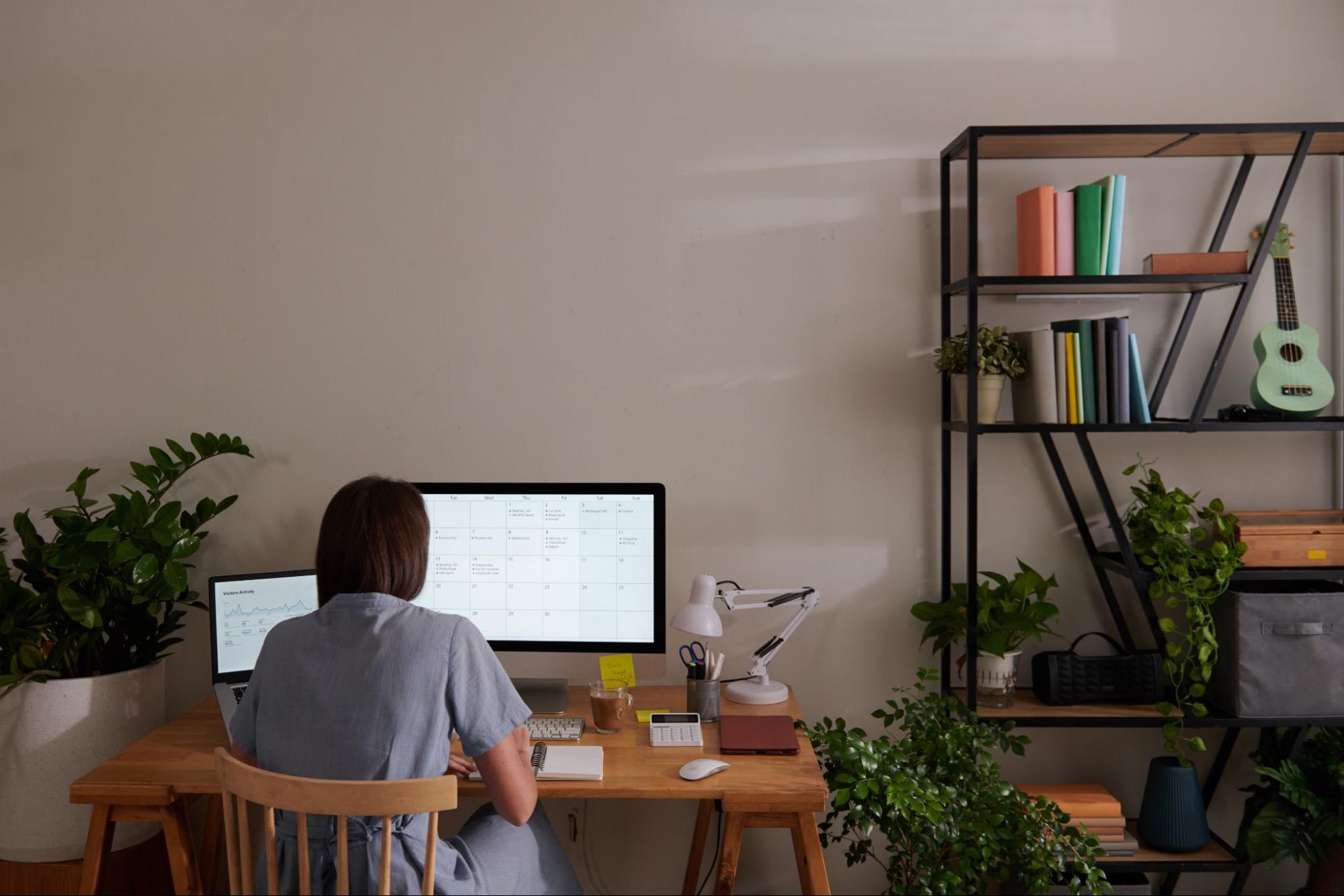
The Exact Temperature That Boosts Home Office Focus

Digital thermometer displaying 22°C on a clean home office desk, ideal temperature for productivity

The temperature of your home office does more than determine whether you reach for a sweater — it directly shapes how clearly you think, how accurately you work, and how long you can sustain focus. Scientific research has established surprisingly precise parameters for this, giving remote workers a concrete, evidence-based target to aim for when setting up their workspace.

Multiple peer-reviewed studies converge on the same finding: cognitive performance peaks when office temperatures fall between 21°C and 25°C (roughly 70°F to 77°F). A 2024 meta-analysis published in Building and Environment, which examined 30 studies involving more than 1,000 participants, confirmed this range as the sweet spot for mental output. Research from Lawrence Berkeley National Laboratory narrowed it further, identifying approximately 22°C as the point where productivity reaches its highest level — with measurable decline occurring in either direction from that threshold.

What Happens When It Gets Too Warm

The consequences of working in a room that’s too hot are both real and quantifiable. Once temperatures climb above 25°C, response times slow and work accuracy drops. According to the 2024 meta-analysis, these effects become pronounced after just one hour of exposure — meaning a warm afternoon can quietly erode an entire productive stretch without you realizing it. At 30°C, productivity falls to roughly 91% of maximum capacity, representing nearly a 9% loss.

The type of work you’re doing also matters. Tasks that demand higher cognitive functions — analytical thinking, writing, problem-solving — show greater sensitivity to heat than routine or repetitive work. If your afternoons are reserved for your most demanding projects, keeping the room cool becomes especially important.

The Cold Side of the Equation

Interestingly, the relationship between temperature and performance is not symmetrical. Current evidence suggests that moderately cooler conditions — slightly below 21°C — do not produce the same performance penalties as warmer ones. Your brain, it turns out, tolerates the cold better than the heat when it comes to cognitive work.

That said, comfort still sets a practical floor. Research points to 20.4°C as the lower boundary for maintaining willingness to work during winter months. Feeling physically uncomfortable, even if it doesn’t impair raw cognitive output, creates its own form of distraction.

What Industry Standards Say

International guidelines reinforce what the research shows. ASHRAE Standard 55 — the leading thermal comfort benchmark — recommends 20°C to 24°C in winter and 23°C to 26°C in summer for typical office settings. The ISO equivalent suggests 21°C to 25.5°C for optimal comfort. Both standards account for seasonal clothing adjustments and acknowledge that thermal comfort involves more than a single thermostat reading.

Beyond the Thermostat

Air velocity, humidity, and radiant heat from nearby surfaces all contribute to how warm or cool a space actually feels. For home office workers, this means a thermostat set to 22°C isn’t the whole story — a sunny window or a poorly ventilated room can push perceived temperature well beyond the dial’s reading. Layered clothing, a small fan, or a space heater can help bridge the gap when your environment isn’t fully controllable.

For most people working from home, targeting a range of 21°C to 23°C offers the most reliable foundation for sustained attention and accuracy across a full workday.

Maximize Your Home Office Productivity

At The Best Home Biz Online, we understand the importance of a conducive work environment for enhancing focus and productivity. With the right temperature set between 21°C and 25°C, your home office can be a haven for creativity and efficiency. Explore our available work from home jobs in US to find the perfect opportunity that fits your lifestyle and goals.

Join a community of motivated individuals who successfully balance work and life while achieving financial freedom. Your ideal home office setup awaits, and with the right support, you can thrive in your online business journey!

Home Office Deduction Rules Self-Employed Must Know

Organized home office desk with laptop, representing home office deduction for self-employed

For self-employed individuals, the home office deduction represents one of the most valuable tax benefits available — yet it remains one of the most frequently misunderstood. The IRS has established a structured framework of eligibility criteria that taxpayers must satisfy before claiming any deductions, and the rules are far more specific than many assume. Getting them right can mean significant savings; getting them wrong can trigger audits and disallowed deductions.

The most important thing to understand is who qualifies in the first place. Only self-employed individuals — freelancers, independent contractors, and business owners — are eligible to claim home office deductions. Traditional W-2 employees are excluded from this benefit entirely, even if they work from home full time. If you receive a paycheck with taxes withheld by an employer, this deduction does not apply to you.

The Core Eligibility Tests

Exclusive and Regular Use

The IRS requires that a qualifying home office space meet two foundational conditions: it must be used exclusively for business, and that use must be regular. The exclusive use test is the stricter of the two — any personal use of the designated space, even occasional, disqualifies the entire deduction. A desk in a bedroom where you also watch television does not qualify. The space must function solely as a place of business.

Regular use means consistent, ongoing business activity — not occasional or incidental work. The IRS looks at the frequency and pattern of use. For those using the simplified calculation method, the space must be used at least 15 days per month to count toward that month’s deduction. There are narrow exceptions to the exclusive use rule, primarily for licensed daycare providers and individuals who store business inventory or product samples at home, but these apply to a limited group.

Qualifying Business Purpose

Beyond exclusive and regular use, the space must serve a qualifying business purpose. The most common path is the principal place of business test. A home office meets this standard when the taxpayer conducts administrative or management activities there exclusively and regularly, and has no other fixed location where those same activities take place in a substantial way. This is particularly relevant for professionals who serve clients off-site but handle billing, scheduling, and communications from home.

Alternatively, a space qualifies if the taxpayer regularly meets clients, patients, or customers there as a normal part of conducting business — attorneys, therapists, and consultants often fall into this category. Separate structures on the property, such as a studio or workshop, can also qualify if they meet the exclusive and regular use requirements, regardless of whether they serve as the primary place of business.

Choosing a Calculation Method

Once eligibility is confirmed, self-employed individuals must choose between two methods for calculating the deduction. The simplified method offers a flat rate of $5 per square foot, up to 300 square feet, capping the annual deduction at $1,500. It requires no depreciation tracking and minimal record-keeping, making it administratively straightforward.

The actual expense method is more complex but often more rewarding. It involves calculating the percentage of the home dedicated to business use and applying that percentage to indirect expenses such as utilities, insurance, and mortgage interest, while also deducting direct expenses — like repairs made specifically to the office — in full. Depreciation on the home can also be claimed, though it requires careful documentation.

Under both methods, the deduction cannot exceed the gross income generated by the home-based business. Any unused deductions carry forward to future tax years, subject to the same income limitation.

Documentation and Compliance

Strong record-keeping is not optional — it is essential. Taxpayers should maintain clear records of the home’s total square footage, the measured area of the business space, dates of business use, and all expenses being claimed. Receipts, utility bills, and mortgage statements should be organized and retained. These records form the backbone of any audit defense and demonstrate that the deduction was claimed in good faith and within IRS guidelines.

Unlock Your Potential with The Best Home Biz Online

Are you a self-employed individual navigating the complexities of home office deductions? The Best Home Biz Online is here to guide you every step of the way. We empower you to reclaim your life by offering available work from home jobs in US that fit your lifestyle. With a focus on integrity and quality, our network supports you in building a sustainable income from the comfort of your home.

Join us to explore opportunities that align with your dreams and help you achieve financial freedom. Let us be your partner in success!

Job Offer Scams Cost Americans $220M: How to Stay Safe

A pile of unopened letters labeled as job offers, representing fake job offer scams targeting applicants.

The Federal Trade Commission reports that losses from job scams tripled between 2020 and 2023, reaching over $220 million in just the first half of 2024. A Norton survey conducted in 2025 found that one in three U.S. adults has already encountered an employment-related scam, with nearly one in four victims losing an average of $8,900. What makes these numbers especially troubling is that only 61% of U.S. adults feel confident they could identify a fraudulent job offer — meaning millions of people are applying to positions without the tools to recognize the danger.

Work-from-home scams are designed to look indistinguishable from real hiring processes. Fraudsters impersonate well-known companies — Amazon alone is cited by 30% of respondents who encountered fake postings — and guide applicants through what appears to be a standard onboarding flow. By the time sensitive information is requested, victims often feel they are moments away from landing a legitimate job.

What Scammers Are Actually After

The data scammers pursue during fake applications is highly specific: Social Security numbers, passport details, bank account information, and government-issued IDs. These are not random requests — they are the building blocks of identity theft and financial fraud. A newer category, known as task scams, has grown even more aggressively. Reports of this scheme quadrupled from 5,000 cases in 2023 to roughly 20,000 in just the first half of 2024. In these setups, scammers initially pay small amounts to establish credibility before requesting victims send their own money to “complete” subsequent tasks. Cryptocurrency has become the preferred vehicle for these transactions, with losses in that category nearly doubling year over year to $41 million.

How to Protect Yourself Before You Apply

Verify before you engage

Before submitting any application, confirm the employer’s legitimacy through their official website and publicly listed contact information. The FTC is explicit on one point: real employers do not initiate contact through personal email accounts or unsolicited text messages. If a recruiter reaches out through an informal channel, treat it as a warning sign rather than a convenience.

Recognize the red flags in the process itself

Legitimate hiring processes never require applicants to pay for equipment, certifications, or access to a position. Any request for upfront fees or unusual payment methods — especially cryptocurrency — should immediately disqualify an opportunity. Scammers also increasingly distribute malicious PDF attachments disguised as job materials, so exercise caution before opening any unsolicited file. Poor grammar, generic job descriptions, and pressure to respond quickly are additional indicators that something is wrong.

When and What to Share

Sensitive personal data — Social Security numbers, dates of birth, financial account details — should never be provided during an initial application phase. The FTC recommends withholding this information until a formal offer has been extended and the employer’s identity has been independently confirmed through multiple verification steps. Slowing down the process is not a disadvantage; it is a defense.

For those who suspect they have already encountered a fraudulent listing, ReportFraud.ftc.gov provides a direct channel to federal law enforcement. Cybersecurity software can also help flag phishing attempts and malicious links before they cause lasting harm.

Secure Your Future with The Best Home Biz Online

In today’s landscape of job scams, finding a legitimate opportunity is crucial. At The Best Home Biz Online, we empower individuals to reclaim their lives by offering available work from home jobs in US. Our platform connects you with reputable companies, ensuring you can work from the comfort of your home without falling victim to fraud.

Imagine having the flexibility to earn a sustainable income, providing for your family, and enjoying the freedom that comes with it. With our dedicated support and a solid foundation, you can embark on a fulfilling journey towards financial independence. Start building your future today!

Remote Work Tax Rules W-2 Employees Must Know Now

Ergonomic chair beside an organized remote work home office setup illustrating W-2 remote work tax rules

Remote work has fundamentally reshaped how Americans earn a living, and with that shift comes a set of tax implications that many employees still misunderstand. Since the Tax Cuts and Jobs Act of 2017, the rules governing what remote workers can and cannot claim have changed dramatically — and the gap between expectation and reality can be costly.

One of the most persistent misconceptions is that working from a dedicated home office automatically unlocks federal tax deductions. For W-2 employees, that is simply not the case. The 2017 legislation suspended miscellaneous itemized deductions for employee business expenses through 2025, which includes home office costs. It does not matter whether an employee works remotely full-time or has a perfectly configured workspace — if they receive a W-2, they cannot deduct those costs on their federal return under current law. The IRS has been explicit on this point, and it applies regardless of whether the employer required the arrangement.

This restriction, however, does not apply equally across the board. Self-employed individuals and independent contractors retain full access to home office deductions, either through the simplified method — calculated at $5 per square foot, up to 300 square feet — or through the regular method, which accounts for actual expenses proportional to the space used.

Where the Real Opportunity Lies

For W-2 employees, the most meaningful tax advantage available today is not a deduction at all — it is employer reimbursement through what the IRS calls an accountable plan. When structured correctly, these plans allow employers to reimburse remote workers for legitimate work-related expenses on a completely tax-free basis, for both income and payroll tax purposes.

To qualify, the plan must meet specific IRS requirements: expenses need to be substantiated with receipts and documentation, they must have a clear business purpose, and any advance payments that exceed actual costs must be returned. When these conditions are satisfied, reimbursements for internet service, office supplies, ergonomic furniture, software, and equipment simply do not count as taxable income.

Equipment, Supplies, and the Employer Distinction

Who Pays Makes All the Difference

The tax treatment of remote work equipment hinges almost entirely on who is making the purchase. If an employee buys a monitor or a keyboard with personal funds, they cannot deduct it. But if the employer reimburses that same purchase through an accountable plan, or provides the equipment directly, no tax liability is created for the employee. Employer-provided tools — laptops, software licenses, peripherals — are generally excluded from taxable income entirely.

This distinction makes documentation and proactive communication with employers essential. Remote employees who routinely spend personal money on work-related resources without seeking reimbursement are effectively subsidizing their employer while missing out on the tax efficiency that proper reimbursement structures would provide.

The Strategic Takeaway for Remote Workers

The most practical move for any W-2 remote employee is to advocate for a formal accountable plan with their employer. This delivers the same financial relief that deductions once provided, through a legally sound and IRS-compliant mechanism. Maintaining thorough records of every work-related purchase — even before a reimbursement policy is in place — positions employees to act quickly once such a plan is established.

For those who also earn self-employment income alongside their W-2 wages, a separate set of deduction opportunities opens up, making the nature of each income stream worth examining carefully with a qualified tax professional.

Unlock Your Potential with The Best Home Biz Online

Are you a W-2 employee navigating the complexities of remote work tax rules? The Best Home Biz Online can provide you with the knowledge and resources you need to excel in your home-based career. Discover the available work from home jobs in US that suit your skills and passions, giving you the freedom to work on your terms. With our support, you can turn your dreams into reality while enjoying the benefits of a flexible work environment.

Join a community dedicated to empowering individuals like you to reclaim their lives and achieve financial independence. Don’t let tax rules hold you back; leverage your remote work experience to create a successful online business today!

Remote Marketing Teams Win With These Digital Tools

Colorful data visualization charts on a large screen used by remote marketing teams

The digital marketing sector has undergone one of the most significant structural shifts in its history. As hybrid schedules now define the working reality for 72% of US workers, and with 63% of American companies actively investing in digital team-building initiatives, the industry has moved well beyond treating remote work as a temporary fix. For marketing professionals, this evolution demands a complete rethinking of how campaigns are built, how teams communicate, and how results are measured.

At the core of this transformation is a simple but powerful insight: the tools teams use are no longer secondary concerns — they are strategic decisions. Research from HubSpot’s 2025 analysis shows that teams operating within unified collaboration systems complete tasks 31% faster than those switching between disconnected applications. Platforms built around real-time feedback have driven a 40% surge in employee focus, according to Gallup’s 2025 data. In practical terms, this means that the infrastructure a marketing team chooses directly shapes the quality and speed of its output.

Automation and AI Are Redefining Campaign Management

From Repetitive Tasks to Strategic Focus

Marketing automation platforms have evolved significantly to meet the demands of distributed teams. Tools now powered by artificial intelligence handle campaign management and lead nurturing with a level of precision that once required constant human intervention. The American Marketing Association notes that AI-driven personalization is enabling marketing teams to scale their efficiency, freeing professionals to focus on strategy rather than execution. For remote teams especially, this shift reduces the risk of bottlenecks that arise when oversight depends on physical proximity.

Predictive analytics tools like Google Analytics, Tableau, and Power BI have also become essential infrastructure. In the absence of spontaneous hallway conversations, data has become the shared language of distributed marketing teams — a real-time, objective foundation for decisions that might otherwise stall in email threads.

Rethinking Communication as a Competitive Advantage

Async Workflows Are Delivering Measurable Results

Perhaps the most counterintuitive lesson from the remote marketing era is that fewer meetings can mean better outcomes. Adobe’s marketing team demonstrated this clearly, achieving 27% faster campaign launches after adopting asynchronous workflows with shared progress trackers — while simultaneously cutting meeting hours by 41%. Teams that implement structured communication frameworks reduce misalignment by as much as 63%, according to Project.co’s research.

This matters because the cost of poor communication is real and quantifiable. The same research found that 43% of remote workers lose more than three hours weekly clarifying unclear instructions. Meanwhile, 67% of professionals who spend five or more hours per week on video calls report experiencing fatigue, making intentional meeting-free periods not a luxury but a productivity necessity.

Content Strategy in a Distributed Creative Environment

Content and SEO teams have adapted by leaning into video, podcasts, and interactive formats that can be produced and refined asynchronously. Social media analytics platforms now replace in-person brainstorming by surfacing audience data that guides creative decisions — making the process faster, more consistent, and less dependent on real-time coordination.

The human dimension of all this cannot be overlooked. Companies that invest in virtual team-building report 28% higher retention rates than those that don’t. Recognition programs, structured feedback loops, and psychological safety initiatives are proving just as important as any software stack in keeping distributed marketing teams performing at their best.

Empower Your Remote Marketing Journey

At The Best Home Biz Online, we understand the struggles of adapting to a remote work environment. Our platform offers a unique opportunity to explore available work from home jobs in US. Join a community that values your time and skills, allowing you to reclaim your work-life balance.

Whether you’re looking to supplement your income or seeking a full-time opportunity, our resources and support can guide you toward achieving your financial goals. Connect with like-minded individuals and discover how you can thrive in the digital marketing landscape from the comfort of your home.

Best Ergonomic Chairs For Remote Work Productivity

Sleek ergonomic chair with adjustable lumbar support in a bright home office

The chair beneath you is doing more than holding you up — it is shaping your health, your focus, and ultimately your output. With the global ergonomic chair market valued at approximately $11.5 billion in 2023 and projected to reach $20.8 billion by 2032, the industry’s growth reflects a collective awakening: seating is no longer an afterthought. It is a cornerstone of workplace wellness. Since 2021, the remote-capable workforce has grown by 14 million employees, and 9.5 million ergonomic chair purchases were recorded in 2023 alone — numbers that tell a story about how seriously professionals are beginning to take their home office setups.

What Sitting Wrong Is Actually Doing to You

Prolonged sitting compresses spinal discs, weakens core muscles, and disrupts circulation. The result is not just persistent back pain — it is reduced cognitive function, mental fatigue, and a creeping loss of focus that quietly erodes your best working hours. The Journal of Occupational Health Psychology has documented that ergonomic setups measurably decrease psychological stress, establishing a direct and evidence-backed connection between the quality of your chair and your ability to think clearly and perform consistently. Proper seating is not a comfort upgrade. It is a productivity strategy.

The Features That Actually Matter

Not all chairs marketed as “ergonomic” deliver on that promise. The ones that do share a specific set of design principles worth understanding before you spend a single dollar.

Lumbar Support and Spinal Alignment

Adjustable lumbar support is the single most important feature in any ergonomic chair. The natural curve of the spine requires targeted reinforcement to maintain a neutral posture and reduce disc pressure during long work sessions. Research into office chair design confirms that lumbar support combined with seat pan tilt conditions produces significantly more neutral spine and pelvic postures, translating directly into reduced muscle strain over the course of a full day.

Height, Depth, and Armrest Adjustability

Seat height typically ranges from 15 to 22 inches in quality ergonomic models, and getting this right matters more than most people realize. When properly adjusted, your feet rest flat on the floor with your knees at a 90-degree angle — a position that prevents circulation restriction and leg fatigue. Seat depth accommodates varying body types, while quality armrests, ideally adjustable between 7.5 and 11 inches above the seat, keep your forearms parallel to the ground. This single adjustment can eliminate the shoulder tension and neck strain that plague so many remote workers. Recline functionality with tilt-lock mechanisms rounds out the package, enabling dynamic sitting and preventing the stiffness that comes from holding any single position too long.

Navigating the Market: From Premium to Budget

At the top of the market, the Herman Miller Aeron, Steelcase Leap, and Humanscale Freedom chairs consistently earn the highest rankings, each backed by research-driven design and comprehensive adjustability. For professionals working with tighter budgets, the Branch Ergonomic Chair delivers impressive functionality at a fraction of premium pricing. Users under 5’7″ will find the SIHOO M18 particularly well-suited to their proportions, especially when paired with a footrest for optimal alignment.

What no single chair can do, however, is account for every individual. Body type, height, and pre-existing musculoskeletal conditions all influence which model will actually serve you best. A well-chosen and properly adjusted ergonomic chair should support your natural posture without requiring constant muscular compensation — and when it does, the returns are tangible: fewer sick days, sharper focus, and the kind of sustained energy that makes a full workday feel manageable rather than punishing.

Unlock Your Potential with The Best Home Biz Online

Are you tired of the traditional 9 to 5 grind? Discover the freedom and flexibility of working from home with The Best Home Biz Online. Our platform connects you with the best resources and training to start your own online business. Whether you’re looking for a part-time hustle or a full-time career change, you’ll find plenty of options for available work from home jobs in US. Join an international network of like-minded individuals and take control of your financial future today!

Remote Worker Tax Mistakes That Cost Americans Thousands

Tidy home office desk with plants where remote worker tax mistakes can be avoided with proper planning

Remote work has fundamentally transformed the American workforce, yet many workers remain dangerously unprepared for the complex tax implications that come with working from home. The IRS maintains strict oversight of remote worker compliance, and common filing errors frequently result in substantial penalties or missed opportunities for legitimate tax savings.

The Home Office Deduction Trap

One of the most widespread misconceptions among remote workers involves home office deductions. Millions of employees incorrectly assume they can claim these deductions simply because they work from home. However, the Tax Cuts and Jobs Act of 2017 eliminated this option for W-2 employees, and this restriction remains in effect through 2025. Only self-employed individuals and business owners qualify for home office deductions.

For those who do qualify, the IRS provides two calculation methods: a simplified option allowing $5 per square foot for up to 300 square feet, or a detailed method requiring meticulous expense tracking. Workers either claim deductions they’re not entitled to—risking penalties—or fail to claim legitimate deductions when self-employed, leaving money on the table.

Quarterly Payment Pitfalls

Self-employed remote workers face another significant challenge with quarterly estimated tax payments. The IRS requires these payments using Form 1040-ES if workers expect to owe more than $1,000 at year-end. Payment deadlines fall on April 15, June 15, September 15, and January 15, with no exceptions for weekends or holidays.

Many freelancers and contractors underestimate their tax obligations or simply procrastinate, creating substantial financial liability through penalties and interest charges. The self-employment tax rate of 15.3%—covering both employer and employee portions of Social Security and Medicare—often catches workers off guard during their first year of independent work.

Classification Confusion

Employment status confusion creates another common pitfall. Workers receiving 1099 forms are independent contractors responsible for all tax obligations, while those receiving W-2 forms are employees with taxes already withheld. This fundamental distinction affects everything from available deductions to quarterly payment requirements.

Incorrect classification leads to either underpayment or overpayment of taxes, potentially triggering audits and complications that could have been easily avoided with proper understanding.

Documentation Disasters

Missing Business Expenses

Remote workers frequently overlook legitimate business expenses that could reduce their tax burden. Internet costs, software subscriptions, office equipment, and supplies all qualify as deductible expenses for self-employed individuals. However, the IRS requires detailed records maintained for at least three years to substantiate these claims.

Health Insurance Oversights

Self-employed remote workers often miss significant deductions for health insurance premiums paid for themselves, spouses, and dependents. This oversight can cost thousands of dollars in unnecessary tax payments annually.

Multi-State Tax Nightmares

Remote workers commonly assume they owe taxes only in their employer’s state, but this assumption can prove costly. Working from a different state than where the employer is located can create tax nexus, requiring workers to file state income tax returns in multiple jurisdictions.

This situation creates potential double-taxation scenarios that require careful planning and professional guidance to navigate properly. Some states have reciprocity agreements, while others do not, making each situation unique.

Timing and Organization Problems

Last-minute tax filing significantly increases error probability and reduces time available for gathering necessary documentation. Poor record-keeping throughout the year compounds these problems, making it nearly impossible to substantiate deductions or respond effectively to IRS inquiries.

Maintaining organized, contemporaneous records prevents costly mistakes and provides essential protection during potential audits. Digital tools and cloud storage make this process more manageable than ever before, yet many workers still rely on outdated paper systems or no system at all.

Maximize Your Income with The Best Home Biz Online

Remote working can lead to missed tax deductions and costly pitfalls, but there’s a way to secure your financial future. At The Best Home Biz Online, we empower individuals to succeed with available work from home jobs in US. Take control of your income by exploring home-based business opportunities tailored to your needs.

Let us guide you in navigating the complexities of remote work while allowing you to enjoy the benefits of working on your own terms. Don’t let tax mistakes drain your resources—maximize your potential with our dedicated support and proven systems.

Standing Desks For Remote Workers: Combat Back Pain At Home

Bright green anti-fatigue mat under standing desk setup for remote workers reducing back pain

Remote work has fundamentally changed how we approach our daily routines, but it has also introduced new challenges for maintaining physical health. The shift from traditional office environments to home setups often means spending even more time seated, leading to increased back pain and poor posture. Standing desks have emerged as a practical solution, offering remote workers a way to combat the negative effects of prolonged sitting while maintaining productivity.

The health risks associated with extended sitting periods are well-documented and concerning. Prolonged sedentary behavior contributes to various chronic diseases and creates significant musculoskeletal discomfort, particularly in the back, neck, and shoulders. For remote workers who may spend 8-10 hours daily at their desks, these risks are amplified without the natural movement breaks that occur in traditional office settings.

The Science Behind Standing Desks

Research demonstrates compelling evidence for the effectiveness of sit-stand desks in improving workplace health outcomes. A significant study published in the International Journal of Environmental Research and Public Health found that participants using standing desks reduced their sitting time by approximately 20 minutes per hour. This seemingly modest change produced remarkable results, including a 54% decrease in neck and shoulder pain among users.

The Centers for Disease Control and Prevention’s ‘Take-a-Stand Project’ further validated these findings, showing that participants reduced their daily sitting time by an average of 66 minutes. Beyond pain reduction, users reported feeling more comfortable, energized, and healthier overall. However, the study also revealed a crucial insight: these benefits disappeared within two weeks when participants stopped using their standing desks, emphasizing the importance of consistent implementation.

Proper Ergonomic Setup

The effectiveness of a standing desk depends heavily on correct ergonomic configuration. Your desk height should allow your elbows to maintain a 90-degree angle while typing, with forearms positioned parallel to the floor. This positioning reduces strain on your shoulders and prevents the forward head posture that commonly develops with poorly adjusted workstations.

Monitor placement requires particular attention in remote work environments. The top of your screen should align with or sit slightly below your eye level to maintain neutral neck positioning. For many home setups, this necessitates investing in monitor arms that can accommodate both sitting and standing positions, ensuring optimal viewing angles regardless of your current posture.

The Art of Alternation

Standing all day is not the goal – alternation between sitting and standing positions provides the greatest benefit. Health experts recommend changing positions every 30 to 60 minutes, preventing the static postures that contribute to discomfort and fatigue. The 20-8-2 rule offers a practical framework: spend 20 minutes sitting, 8 minutes standing, and 2 minutes moving or stretching.

This frequent position change improves circulation, reduces muscle fatigue, and prevents the stiffness that develops from maintaining any single posture for extended periods. Anti-fatigue mats can enhance standing periods by providing cushioning and encouraging subtle movements that further reduce strain on your legs and lower back.

Implementation Strategy

Successfully integrating a standing desk into your remote work routine requires a gradual approach. Begin with short standing intervals of 15-30 minutes and progressively increase the duration as your body adapts. This measured transition prevents discomfort and ensures long-term adherence to your new routine.

Standing desks work best as part of a comprehensive ergonomic strategy that includes regular movement breaks, targeted stretching exercises, and attention to overall workspace design. When properly implemented, they serve as an effective tool for improving posture, reducing back pain, and enhancing overall well-being for remote workers committed to maintaining their physical health while working from home.

Transform Your Work Experience with The Best Home Biz Online

Are you tired of battling back pain while working from home? Discover innovative standing desks that can enhance your productivity and well-being. At The Best Home Biz Online, we offer tailored solutions for remote workers seeking ergonomic setups that support health and flexibility. Our resources empower you to reclaim your life from the confines of a conventional job.

Alongside finding the perfect standing desk, explore the available work from home jobs in US that align with your lifestyle needs. Join a network that prioritizes your comfort and success!

Benefits of Business Options at Home

Professional working from home at a desk with laptop and plans, enjoying tea while managing flexible remote business tasks.

Work has changed. The systems surrounding it often haven’t.

Fixed schedules, commuting, and limited autonomy remain common expectations, even as work itself becomes more digital and outcome-driven. For many people, this mismatch has led to increased interest in business options at home and the broader idea of work-from-home flexibility.

This article examines the structural benefits commonly associated with home-based business models. Rather than promising results, it explains how these models redistribute control, responsibility, and time and what that shift means in practice.

Flexibility in How the Workday Is Structured

One of the most significant structural differences in business options at home is how time is managed. Work is often organized around deliverables rather than hours logged, shifting emphasis from presence to output. This approach is common across many work-from-home business options designed to operate without fixed schedules or centralized offices.

This type of work-from-home flexibility allows individuals to:

  • Adjust work hours around existing responsibilities
  • Concentrate effort during peak focus periods
  • Reallocate tasks based on priority rather than schedule

Flexibility does not eliminate workload expectations. It changes how and when those expectations are met.

Reduced Dependence on Commuting

Time Reallocation

Commuting consumes time without contributing to work output. Removing routine travel alters how the workday begins and ends, often reducing schedule compression and reclaiming hours previously lost to transit.

Common structural changes include:

  • Fewer hours spent in transit
  • Greater control over start and end times

The effect varies by individual, but the directional change is consistent.

Cost Considerations

Commuting also entails recurring costs, such as fuel, transit passes, parking, and vehicle maintenance. Home-based work reduces or removes many of these expenses, depending on personal circumstances.

Control Over the Work Environment

Managing Distractions 

Traditional offices optimize for shared use. Home-based work optimizes for individual conditions.

Working from home allows greater control over noise, interruptions, and workspace layout. Some individuals find this supports:

  • Fewer unplanned disruptions
  • More predictable working conditions

Outcomes depend on household dynamics and the ability to establish boundaries.

Workspace Customization

Home workspaces can be configured around specific needs rather than standardized layouts. Lighting, seating, and workflow design can be adjusted to support sustained focus over time.

Accountability and Ownership

Self-Management Requirements

Business options at home remove direct supervision. Planning, execution, and follow-through shift fully to the individual.

This structure emphasizes:

  • Independent time management
  • Decision-making without managerial direction
  • Clear ownership of responsibilities

Ownership here refers to accountability, not guaranteed outcomes.

Skill Development Over Time

Managing work independently often develops practical skills, organization, prioritization, and communication through repeated application rather than formal instruction.

Lifestyle and Well-Being Considerations

Daily Routine Adjustments

Work structure shapes daily habits. Removing commuting and rigid schedules may reduce certain pressures while introducing new demands, such as managing interruptions and maintaining separation between work and personal time.

Common considerations include:

  • Flexible timing for meals and breaks
  • Opportunities to incorporate movement during the day

These factors vary by household and work model.

Boundary Management

Without deliberate boundaries, work can expand indefinitely. Defined work periods and clear transitions are often necessary to sustain long-term consistency.

Independence and Location Flexibility

Working Without Geographic Constraints

Because home-based business options are not tied to a physical office, location-independent work is often possible. This structure is common across many legitimate work-from-home opportunities, where work is designed to be completed remotely rather than in a fixed location.

This may allow individuals to:

  • Live outside traditional employment centers
  • Relocate without altering work arrangements

Reliable infrastructure remains a requirement.

Evaluating Fit

Location independence is a structural feature, not a universal advantage. Its value depends on personal priorities, household needs, and the nature of the work.

Final Perspective

Business options at home do not simplify work; they reallocate control. Responsibility, flexibility, and accountability shift from the employer to the individual.

Understanding this shift is essential when evaluating whether a home-based model aligns with personal working habits and expectations. This perspective reflects the broader mission of home-based work options: independence, clarity, and informed decision-making. The structure offers specific advantages, but only when matched with the discipline and conditions required to support it.

Clarity, not optimism, is the most useful starting point.

View contact information for additional questions.

How To Build Online Communities For Remote Worker Mental Health

Laptop with vibrant plant showing online communities for remote worker mental health support

Remote work has fundamentally transformed how we approach professional life, bringing unprecedented flexibility while simultaneously creating new challenges for mental well-being. As workers across industries—from healthcare to finance—navigate this digital landscape, the need for supportive online communities has never been more critical. Research indicates that up to 40% of remote workers report heightened stress levels, with isolation and blurred work-life boundaries becoming significant concerns that extend far beyond traditional workplace safety measures.

Establishing Foundation and Guidelines

Creating an effective online community begins with establishing clear, inclusive guidelines that prioritize psychological safety. Evidence from recent studies shows that while remote work reduces commute-related stress and enhances work-life balance, it simultaneously increases burnout risks, with 35% of surveyed employees experiencing profound isolation. Communities must therefore enforce anti-judgment policies and actively promote vulnerability-sharing among members.

The foundation should rest on principles that acknowledge workers’ fundamental rights to safe environments, even in digital spaces. This means creating dedicated channels or forums that serve diverse professional backgrounds while maintaining consistent standards for respectful interaction. Guidelines should explicitly address confidentiality, mutual support expectations, and clear boundaries between professional networking and personal mental health discussions.

Designing Engaging Community Activities

Structured Wellness Programming

Successful communities integrate regular programming that addresses both professional and personal well-being. Virtual wellness sessions, peer support circles, and expert-led webinars create structured opportunities for connection while respecting busy schedules. These activities should remain optional to avoid adding pressure to already overwhelmed remote workers.

Informal Connection Opportunities

Beyond formal programming, communities thrive on spontaneous interactions that mirror traditional workplace socialization. Virtual coffee chats, mindfulness challenges, and industry-agnostic discussion threads help combat the technology-driven isolation that burdens mental health. Research reveals that remote staff face higher emotional strain, making these casual touchpoints essential for building meaningful social ties across different professional sectors.

Professional Integration and Data-Driven Improvements

Incorporating mental health professionals into community design and ongoing operations elevates support beyond peer-to-peer interaction. Studies of healthcare workers during recent global challenges show that 50-70% experienced significant anxiety, highlighting the universal nature of workplace mental health concerns. Moderated discussions led by qualified therapists can provide structured support while maintaining the informal accessibility that makes online communities effective.

Anonymous feedback mechanisms and regular satisfaction surveys enable communities to evolve based on member needs rather than assumptions. Data shows that optimized wellness programs can reduce absenteeism by 25%, demonstrating the tangible benefits of responsive community management. Tracking participation rates, engagement levels, and member retention provides concrete metrics for measuring success and identifying areas for improvement.

Ensuring Long-term Sustainability

Sustainable communities prioritize accessibility through free or low-cost tools while maintaining diverse representation across industries and experience levels. This approach ensures that financial barriers don’t prevent participation and that perspectives from various professional backgrounds enrich discussions. Regular assessment of community health, combined with flexible adaptation to changing remote work patterns, creates resilient spaces that can weather evolving workplace challenges while consistently supporting member mental health and professional satisfaction.

Join a Supportive Community with The Best Home Biz Online

Looking for a way to reclaim your work-life balance and enhance your mental health as a remote worker? Join the vibrant community at The Best Home Biz Online, where like-minded individuals gather to share experiences and support each other on the journey toward better mental well-being. With an array of available work from home jobs in US, you can find the perfect opportunity that fits your lifestyle.

The Best Home Biz Online is dedicated to empowering remote workers through a network committed to enhancing both health and income. Discover how to build sustainable online communities that not only focus on professional growth but also prioritize mental health. Your path to a more fulfilling remote work life begins here!